Flagship Engagement · Fixed Scope
Your Salesforce health check — and the reckoning after it
Every org drifts: fields multiply, automations pile up, permissions loosen, reports stop matching reality. The Health Assessment is the scheduled reckoning — technical and governance, tactical and architectural — ending in a report your admin can execute and your executive can fund. This one page is the whole engagement, including every cloud-specific track.
Two ways to start — same evidence
The engagement runs on Horus Eye’s three promises: see the risk your org has quietly accumulated, clear the debt that actually matters, and protect the foundation your next program — release, migration, or Agentforce — will stand on.
Self-service: scan it yourself
Connect Horus Eye to your org and get a Salesforce health check in minutes — 202 rules across seven dimensions, every finding with the evidence behind it. No workshop, no waiting, no sales call required.
Architect-led: the full assessment
Kemisoft’s architects take the same evidence and do what no scan can: interview stakeholders, read the automation against how the business actually works, and hand you a sequenced roadmap with the ten areas below covered in full.
Sound familiar?
- “Nobody knows what that Flow does.” — The builder left; everyone is afraid to touch it; new automation gets layered on top.
- “Reports say three different numbers.” — Dashboard, spreadsheet, and QBR deck disagree — so leadership trusts none of them.
- “Everyone's basically an admin.” — Permissions granted for one urgent task in 2021, never revoked; departed employees still holding access.
- “We pay for licenses nobody uses.” — Seats for people who log in twice a quarter; premium features enabled and untouched.
- “We want AI, but…” — Everyone suspects — correctly — that the data and security posture isn't ready to ground agents.
None of these mean your team failed. They mean the org has been succeeding for years — absorbing every urgent request without a scheduled reckoning. This is the reckoning, minus the drama.
The ten core areas — every org, every time
Security & access
Health Check score plus what it misses: permission sprawl, least-privilege gaps, departed-user access, field-level security drift.
Data quality
Duplicates, completeness where it matters, stale records, and whether the model still matches the business.
Automation & technical debt
Flow collisions, legacy Workflow/Process Builder, Apex quality, hard-coded IDs, automations firing four times per save.
Architecture & integrations
Object model, sharing architecture, integration patterns and their error handling, API consumption.
Performance & limits
Slow saves, data skew, storage burn, governor-limit near-misses, large-data-volume design.
Governance & release
Who decides what gets built, sandbox strategy, deployment discipline, and whether debt is tracked or just accumulated.
Reporting & analytics
Report sprawl, the single-source-of-truth question, and the metrics leadership actually needs.
Adoption & usability
Usage by role, layout bloat, and what your team does in spreadsheets because Salesforce made it hard.
Licensing & cost
Utilization against entitlement, feature overlap, and the renewal conversation with data in hand.
AI & agent readiness
Is your data grounded, your security agent-safe, your automation clean enough for a digital workforce? Measured as Horus Eye findings, each with a fix path.
Every criterion is rated Good Standing, Improvement Opportunity, or Requires Attention — the same color-coded rubric as our DocGen assessment — so the report reads as a prioritized to-do list, not an essay.
How the engagement runs
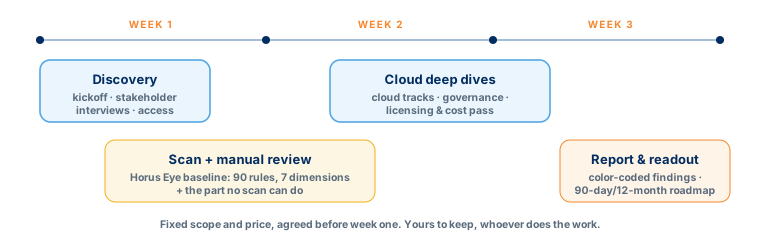
- Week 1 — Discovery. Kickoff, stakeholder interviews (admin, architect, business owners, executive sponsor), and access setup. We learn how the org is supposed to work before judging how it does.
- Weeks 1–2 — Automated + manual review. The Horus Eye baseline — 202 rules, 7 dimensions, dependency graphs, coverage honesty — plus the part no scan can do: reading your business processes against the configuration, interviewing stakeholders, and weighing governance and cost. Tactical findings and architectural ones.
- Week 2–3 — Deep dives. Cloud-specific assessment areas (below), governance and release-management review, and a licensing/cost pass most assessments skip.
- Week 3 — Report & readout. A written, color-coded report: findings, ratings, effort estimates, and a sequenced 90-day/12-month remediation roadmap. Presented live to your team; yours to keep, whoever does the work.
Smaller org? The two-week Health Check
Same rubric, narrower depth, fixed price: a certified architect audits security, technical debt, automation, and data quality in two weeks and hands you the prioritized roadmap. It upgrades to the full assessment any time.
Cloud-specific tracks
Deep DivesThe core ten cover every org — including Sales Cloud, assessed in full in the general engagement. On top, your cloud gets its own issue library. Find yours below; every finding style is the same: what we see, how it happens, what it costs you.
Revenue Management & CPQ track
Cloud Deep-DiveQuote-to-cash breaks quietly: a discount that vanishes between systems, a bundle nobody can quote, a renewal co-termed by hand at midnight. We assess the catalog, the rules, and the process they're supposed to serve — and whether legacy CPQ is ready for the ARM migration on Salesforce's roadmap.
Sound familiar?
- Quotes take days, not minutes — Reps route around CPQ with spreadsheets; deal desk is a bottleneck with a backlog.
- The catalog reads like the ERP — Thousands of SKUs replicated wholesale instead of modeled for how deals are actually sold.
- Rules nobody dares touch — Price rules and product rules stacked over years; changing one breaks three quotes at month-end.
- Finance reconciles by hand — What was quoted, ordered, and billed live in three systems that almost agree.
The findings we see most
| Common finding | How it happens | What it costs you |
|---|---|---|
| Catalog sprawl / ERP replication | The ERP catalog imported wholesale at go-live 'to be safe' | Unquotable products, slow config screens, rules debt compounding |
| Over-complex product & price rules | Each edge case patched with another rule; no periodic consolidation | Fragile quoting, month-end failures, fear-driven change freeze |
| Pricing model ≠ how deals are sold | System modeled from the price book, not from real deal patterns (ramps, co-terms, usage) | Reps discount off-system; approved margins exist only on paper |
| Quote/order/billing sync gaps | Integration field mappings incomplete; async timing drops changes | Discounts and line changes silently lost between systems |
| Amendment & renewal debt | Amendments handled manually because the model can't express them | Co-term errors, revenue leakage, renewal surprises |
| Approval sprawl | Approval chains added per stakeholder request, never rationalized | Deals wait days for approvals nobody remembers instituting |
| Quote document drift | Templates cloned per team; branding and legal terms diverge | Wrong terms reach customers; legal finds out later |
| Legacy CPQ migration blindness | No inventory of what's actually used ahead of the ARM roadmap | The migration happens on a deadline's terms instead of yours |
Related: Agentforce Revenue Management · CPQ → RCA migration offer · our quote-to-cash practice (Cummins, ATCO, MongoDB, Palo Alto Networks).
Field Service track
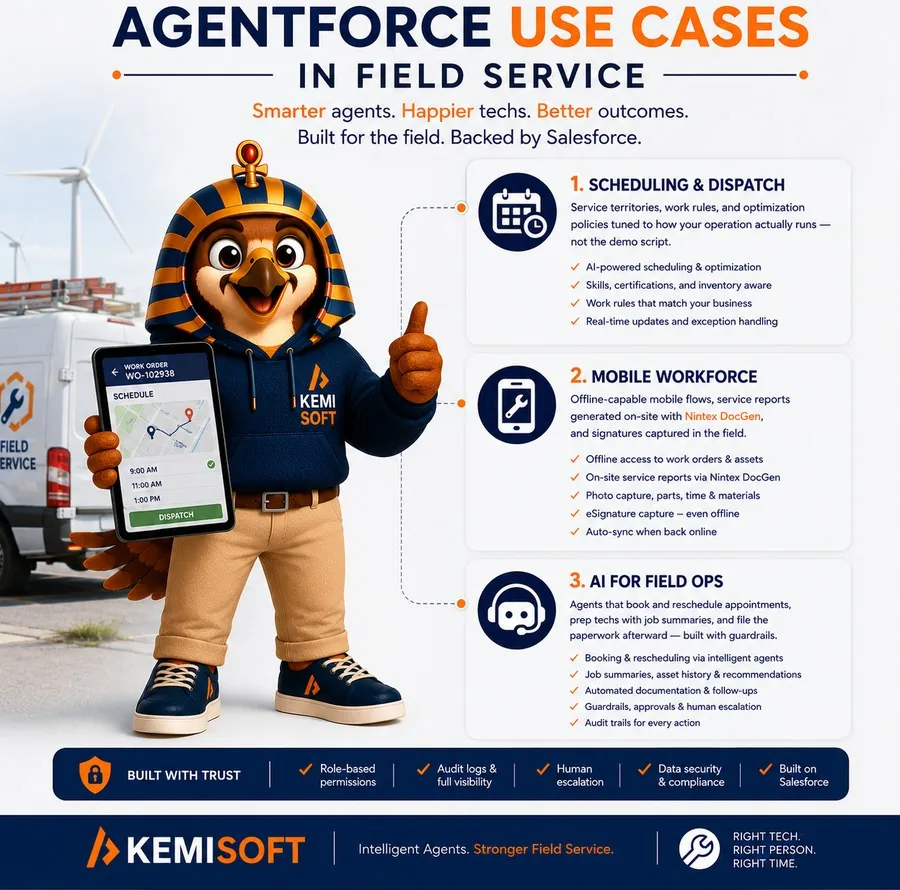
Cloud Deep-DiveIndustry research says almost half of field appointments don't go as planned. Most of the causes live in configuration: territories drawn wrong, durations guessed at go-live and never corrected, an optimization engine nobody trusts because nobody tuned it. We assess all of it — before you put agents on top.
Sound familiar?
- Dispatchers override everything — The schedule the engine builds gets rebuilt by hand every morning — so why run the engine?
- Technicians arrive blind — No asset history, no parts context; first-time-fix rate says so.
- The mobile app is optional — Techs call in updates; admin staff re-key them; data quality decays from the field inward.
- Every day has holes — Cancellations and early finishes leave gaps nobody fills until tomorrow.
The findings we see most
| Common finding | How it happens | What it costs you |
|---|---|---|
| Territory misdesign | Territories drawn by org chart or geography guesswork, overloaded beyond practical resource counts | Slow dispatch console, poor optimization, burned-out crews |
| Work types with fictional durations | Durations set once at go-live from estimates, never trued against actuals | Overruns cascade through every schedule daily |
| Inconsistent travel buffers | Each territory configured differently, some not at all | Engine promises impossible days; customers get missed windows |
| Scheduling policies unexamined | Default policies live untouched; business objectives (SLA vs overtime) never encoded | The engine optimizes for goals nobody chose |
| Optimization mistrust | Early bad results (from the issues above) taught dispatchers to override | Paying for an engine while scheduling by hand |
| Mobile adoption gaps | Clunky layouts, offline problems, no technician voice in design | Status updates late or absent; the office flies blind |
| Parts & inventory blindness | Van stock and parts data not maintained in the system | 38% of disrupted jobs involve missing parts — an industry-reported pattern we see constantly |
| Appointment data volume debt | Years of completed appointments never archived | Console performance decays; optimization windows stretch |
Related: Agentforce Field Service · our Field Service practice — including a 12-month energy-sector program whose UAT packages the client called the best they'd received.
Service Cloud track
Cloud Deep-DiveService orgs accumulate debt faster than any other cloud — every escalation spawns a status, every reorg a queue, every tool a channel. We assess the case lifecycle end to end, and score whether your knowledge and data could actually ground an AI agent.
Sound familiar?
- Cases bounce between queues — Routing logic from three reorgs ago; agents cherry-pick; the oldest cases are the least loved.
- Knowledge exists but nobody uses it — Articles stale, search unhelpful, agents keep answers in personal docs.
- SLAs are aspirational — Entitlements configured once, milestones ignored, breaches discovered in QBRs.
- Handle time climbs anyway — More macros, more tabs, more tools — and somehow slower resolution.
The findings we see most
| Common finding | How it happens | What it costs you |
|---|---|---|
| Routing & queue sprawl | Queues added per team per reorg; omni-channel half-adopted | Cases wait in queues nobody watches; SLAs breach silently |
| Case status inflation | Every team added statuses; no lifecycle owner | Reporting mush — nobody can say how many cases are truly open |
| Stale or orphaned knowledge | No review cycle, no ownership, no feedback loop from cases to articles | Agents answer from memory; customers get inconsistent answers |
| Entitlements not enforced | Milestones configured at go-live, alerts routed to a dead inbox | Paying-for-priority customers wait like everyone else |
| Channel fragmentation | Email, phone, chat, and social each bolted on separately | Customers repeat themselves; context dies at every hop |
| Console clutter | Layouts grown by committee; every field someone once wanted | Seconds lost per case, thousands of cases per week |
| Escalation loops | Escalation defined socially, not systemically | High-severity cases depend on who's in the Slack channel that day |
| Deflection-unready knowledge | KB too thin or stale to ground an agent | Agentforce Service pilots underperform and get blamed unfairly |
Related: Agentforce Service · the customer service agent, explained · our Service Cloud practice (certified since 2019).
Experience Cloud track
Cloud Deep-DiveSalesforce Security has publicly warned about threat actors mass-scanning Experience Cloud sites for over-permissive guest access — a configuration problem, not a platform one. If you run a portal or public site, this is the assessment with the shortest path from finding to 'fix it today.'
Sound familiar?
- Nobody has reviewed guest access since launch — The guest profile was opened up to make something work in UAT; it stayed open.
- Sharing model is folklore — Why external users see what they see is explained by 'it's always been like that.'
- The portal is slow — Components stacked without performance budgets; every page loads everything.
- License costs surprise everyone — Member-based versus login-based chosen years ago, never revisited against actual usage.
The findings we see most
| Common finding | How it happens | What it costs you |
|---|---|---|
| Over-permissive guest user profile | Object/field access granted to unblock a build; API access left enabled | Unauthenticated data exposure — the exact pattern in active theft campaigns |
| External org-wide defaults too open | Default external access never restricted after go-live | Records visible to anyone on the internet, no login required |
| Sharing sets & rules drift | Rules accreted per use case; no periodic review | External users seeing other customers' data — found by them, or worse |
| Aura/GraphQL exposure unexamined | Public endpoints never tested the way attackers test them | Mass extraction at scale before anyone notices |
| Self-registration handler flaws | Custom registration code written fast, reviewed never | Account-creation abuse and privilege mistakes |
| License-type mismatch | Member vs login-based chosen on a guess | Five or six figures of annual overspend |
| Performance debt | Rich components, no lazy loading, unbounded queries | Slow pages, abandoned sessions, support tickets about the support portal |
| Stale content & broken journeys | No content owner after launch team disbanded | The public face of your brand, quietly rotting |
Related: our Experience Cloud practice · the security pass follows Salesforce's published guest-user guidance and current threat-research patterns.
Nonprofit Cloud track
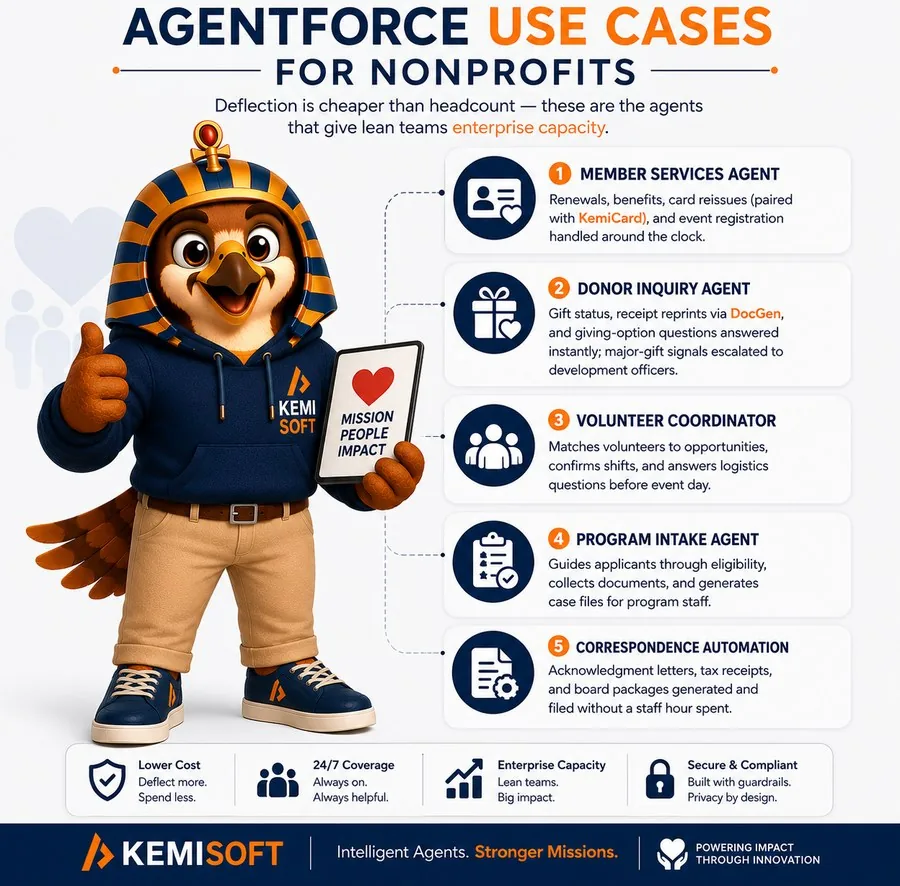
Cloud Deep-DiveNonprofit orgs carry a special kind of debt: built by volunteers and rotating admins, customized around every campaign, and now facing the NPSP-to-Nonprofit-Cloud question. We assess what you have, what it costs you, and what the migration decision actually looks like for your data — the practice behind our NAACP award-winning delivery.
Sound familiar?
- Donors exist three times — Same constituent, three records, three giving histories — and a development officer merging by hand.
- Reports take a specialist — Answering 'how much did we raise from this campaign' crosses four objects and two workarounds.
- Gift entry is a bottleneck — Batch entry slow, recurring donations fragile, finance reconciliation manual.
- Everyone asks about Nonprofit Cloud — The board read an article; nobody can say what migrating would actually take.
The findings we see most
| Common finding | How it happens | What it costs you |
|---|---|---|
| Constituent duplicates | Imports, event tools, and online giving each creating records freely | Split giving histories; stewardship built on wrong numbers |
| NPSP customization debt | Years of custom fields and triggers layered over the managed package | Upgrades painful; rollups slow; each change riskier than the last |
| Rollup performance decay | Legacy rollups over growing gift volumes | Nightly jobs stretch; totals lag reality |
| Soft credit confusion | Household, soft, and matching credit conventions never standardized | Donor totals disagree depending on who runs the report |
| Recurring donation fragility | Legacy RD model, payment-processor sync gaps | Failed payments unnoticed; sustainer revenue leaks |
| Reporting complexity | The same person's data spread across many objects, heavily customized | Basic questions need a consultant; leadership stops asking |
| Integration patchwork | Giving platform, email tool, and events each integrated differently | Data arrives duplicated, delayed, or not at all |
| The unexamined NPC question | No usage inventory or data-model mapping toward Nonprofit Cloud | Decisions made on articles and anxiety instead of evidence |
Related: our Nonprofit practice — including the NAACP program that won the 2022 Nintex Solution Innovation Award · DocGen for acknowledgment letters and grant documents.
Education Cloud track
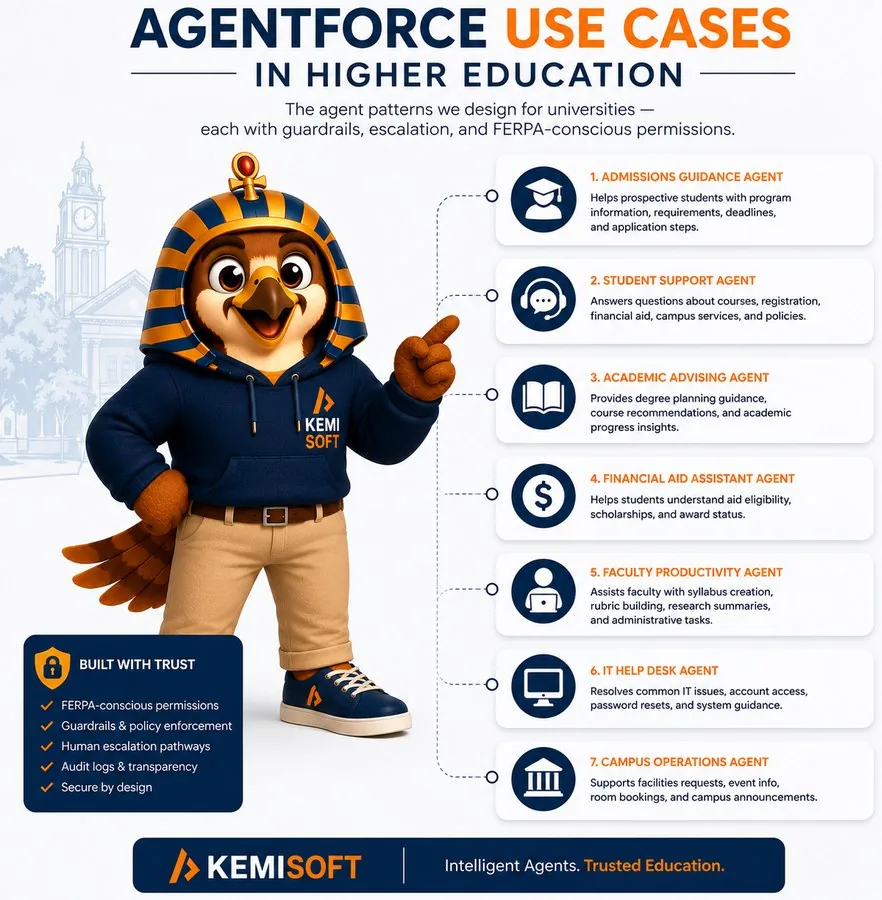
Cloud Deep-DiveHigher-ed orgs are where data models go to be tested: every student is a person, an applicant, an enrollee, an alum, and sometimes an employee — simultaneously. We assess how your EDA or Education Cloud org holds up, with delivery experience at the University of British Columbia behind the checklist.
Sound familiar?
- Students exist in duplicate — Recruiting created one record, the SIS integration another, an event signup a third.
- The SIS sync is a nightly adventure — Banner/Colleague/Workday sync errors reviewed manually — when someone remembers.
- Advisors can't see the whole student — Program, term, and success data scattered; the 360 view requires six tabs.
- Access reviews scare everyone — FERPA-relevant data, and nobody can crisply say who can see what.
The findings we see most
| Common finding | How it happens | What it costs you |
|---|---|---|
| Account model misconfiguration | Administrative vs Household model chosen by default at go-live | Reporting and relationships fight the model forever after |
| Duplicate student records | Recruiting, SIS, and events each inserting without matching rules | Advisors act on partial histories; communications double-send |
| SIS integration fragility | Point-to-point sync built once, error handling minimal | Term data late or wrong at the moments that matter most |
| Affiliation & relationship sprawl | EDA's flexible model used inconsistently across departments | The same relationship encoded four ways; reports disagree |
| Program & term data drift | Conventions unowned across recruiting, registrar, and advancement | Cohort reporting requires manual reconciliation each cycle |
| FERPA access ambiguity | Sharing grown organically across recruiting, advising, and faculty | Compliance exposure and over-broad visibility |
| Funnel blind spots | Admissions stages tracked outside the platform in parallel sheets | Yield decisions made on last month's numbers |
| EDA-to-Education-Cloud blindness | No inventory of EDA usage against the new model | Migration conversations run on rumor instead of a map |
Related: our Education practice — current Education/Sales Cloud architecture work at the University of British Columbia.
Financial Services Cloud track
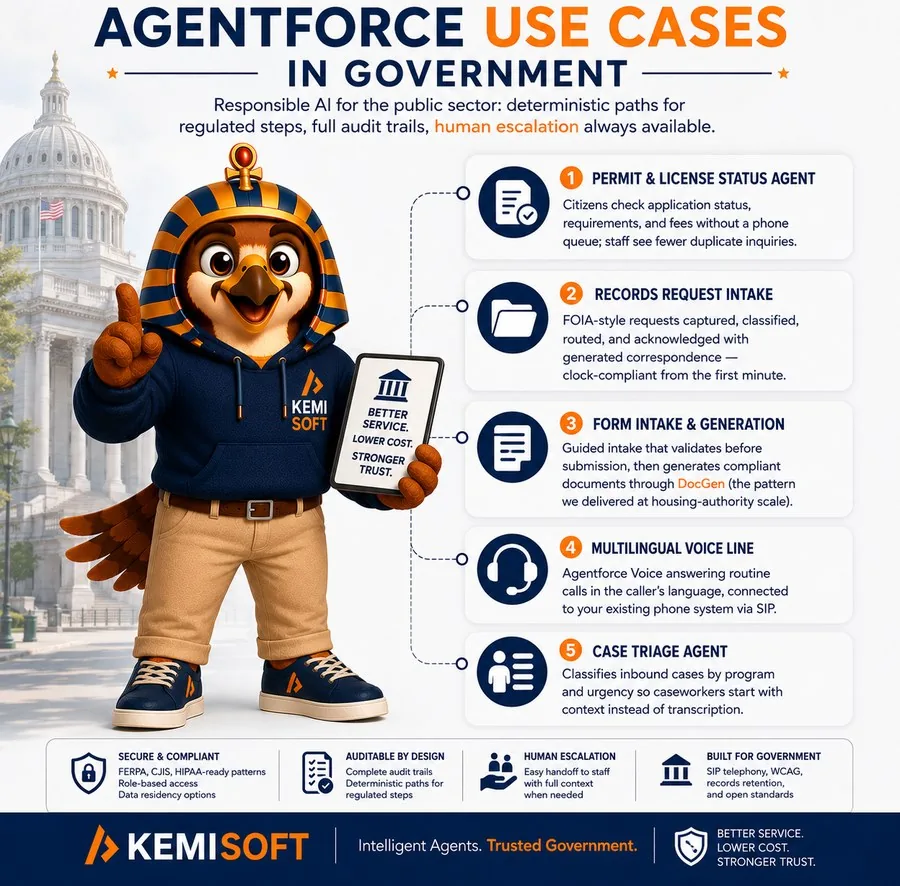
Cloud Deep-DiveFSC orgs answer to two masters: advisors who need everything one click away, and regulators who need least privilege provable. Most orgs drift toward one at the other's expense. We assess both sides — the data model and the compliance posture — with financial-sector delivery from Shift4 to OTIP behind the checklist.
Sound familiar?
- Households don't match reality — Trusts, businesses, and multi-generational relationships flattened into whatever fit at go-live.
- Access reviews take weeks — Book-of-business sharing built from exceptions; proving least privilege is archaeology.
- KYC data ages in place — Refreshed at onboarding, then never; reviews run on stale facts.
- Advisors keep shadow books — The real client picture lives in a spreadsheet because the org's one is incomplete.
The findings we see most
| Common finding | How it happens | What it costs you |
|---|---|---|
| Household model misuse | Complex structures (trusts, LLCs, blended families) forced into simple groupings | Wrong share-of-wallet math; advice built on partial pictures |
| Person account decision debt | Chosen (or avoided) early without weighing downstream reporting and integration | Every integration and report pays a small tax forever |
| Compliance sharing sprawl | Book-of-business access granted case by case under deadline | Least privilege unprovable; audit findings and remediation fire drills |
| Stale KYC & client data | No refresh cadence or ownership after onboarding | Regulatory exposure and reviews that miss real risk |
| Financial account rollup decay | Rollups over growing account volumes never re-architected | Slow pages for advisors; nightly jobs stretching into mornings |
| Core-system integration gaps | Banking/portfolio sync built minimally, exceptions handled by email | The CRM trusted least exactly where it must be trusted most |
| Action plans unused | Compliant workflows configured, then bypassed under time pressure | The audit trail exists for the process nobody follows |
| Permission set sprawl | Cloned and tweaked per team for years | Nobody can say what a role can do — and the regulator will ask |
Related: our Financial Services practice — delivery for Shift4 Payments, Big I New York, Alitis Investment Counsel, OTIP RAEO, and CSC Leasing.
What you walk away with
The report
Color-coded findings across all areas — written for the admin who'll fix things and the executive who'll fund them.
The roadmap
A sequenced 90-day/12-month plan with effort estimates — quick wins first, architectural moves staged.
The baseline
Scores you can re-measure annually — the delta is your governance story, for leadership and auditors alike.
Frequently asked questions
FAQWhat is a Salesforce Health Assessment?
A structured audit of your Salesforce org across ten areas — security, data quality, automation debt, architecture, performance, governance, reporting, adoption, licensing, and AI readiness — plus cloud-specific deep tracks, ending in a color-coded report and sequenced remediation roadmap.
How long does a Salesforce health check take?
A Horus Eye scan takes minutes, and you can run it yourself today. The architect-led assessment typically takes three weeks for a single-cloud org, fixed scope agreed before we start; a lighter two-week Health Check exists for smaller orgs — same rubric, narrower depth.
How much does a Salesforce health check cost?
The self-service route starts with a Horus Eye scan of your own org. The architect-led assessment is fixed-price, agreed before we start — no time-and-materials drift. If the report surfaces work worth doing, we scope it separately; the findings are yours either way.
What problems does a Salesforce health check identify?
Security and access gaps, data quality issues, automation conflicts and technical debt, architecture coupling, performance risks, governance and release gaps, reporting blind spots, adoption problems, license waste, and AI readiness blockers — each with the evidence behind it. In effect, a Salesforce risk assessment with the receipts attached.
How often should you run a Salesforce health check?
Continuously for the automated layer — an org changes every sprint, and Horus Eye re-scans on demand — and annually, or before major programs like an Agentforce rollout or a CPQ migration, for the architect-led review.
How is this different from Salesforce Optimizer?
Optimizer reports configuration statistics. Horus Eye — our own org-intelligence platform — connects metadata, dependencies, permissions and automation into evidence-backed findings, and you can run it yourself. The architect-led assessment then does what no scan can: interpret the evidence against how the business actually works, and sequence a roadmap you can fund.

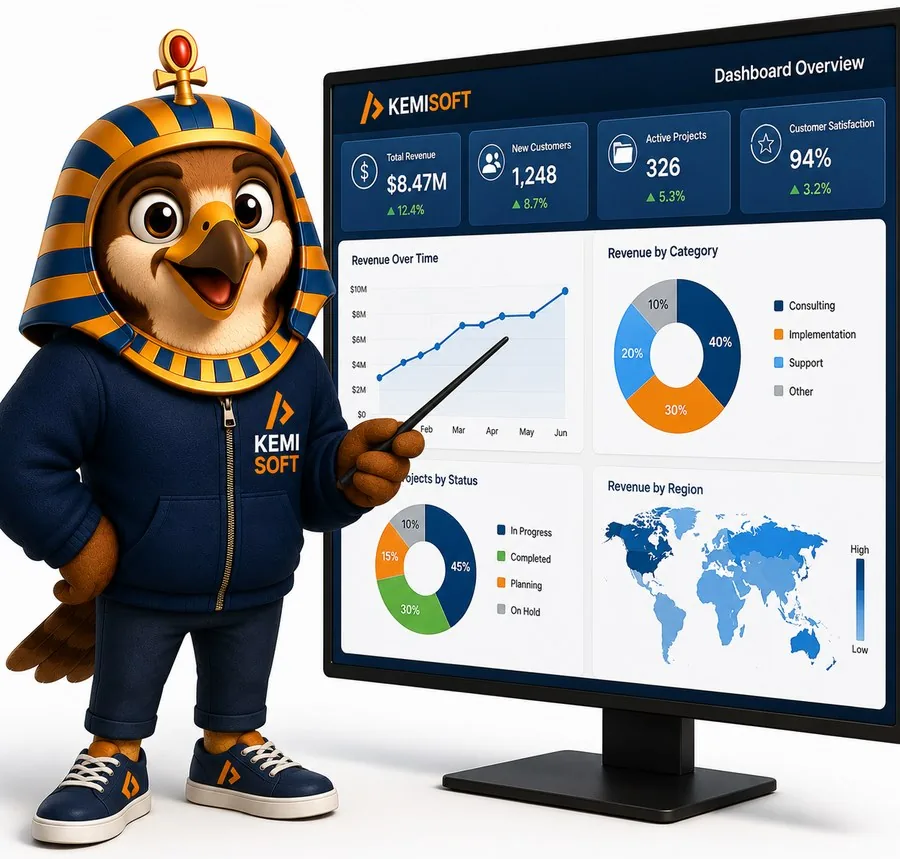


Nothing escapes the falcon eye
Ten assessment areas, tactical to architectural — presented the way Horus likes it: on one dashboard, color-coded, with nowhere for technical debt to hide.
Horus™ is the Kemisoft falcon — named for the sky-eyed guardian of ancient Kemet.
Three weeks to the truth
Fixed scope, color-coded report, sequenced roadmap — yours to keep, whoever does the work.
Try Horus Eye Scope Your Assessment