Horus Eye · Nintex[1] DocGen
The Nintex DocGen assessment report, page by page
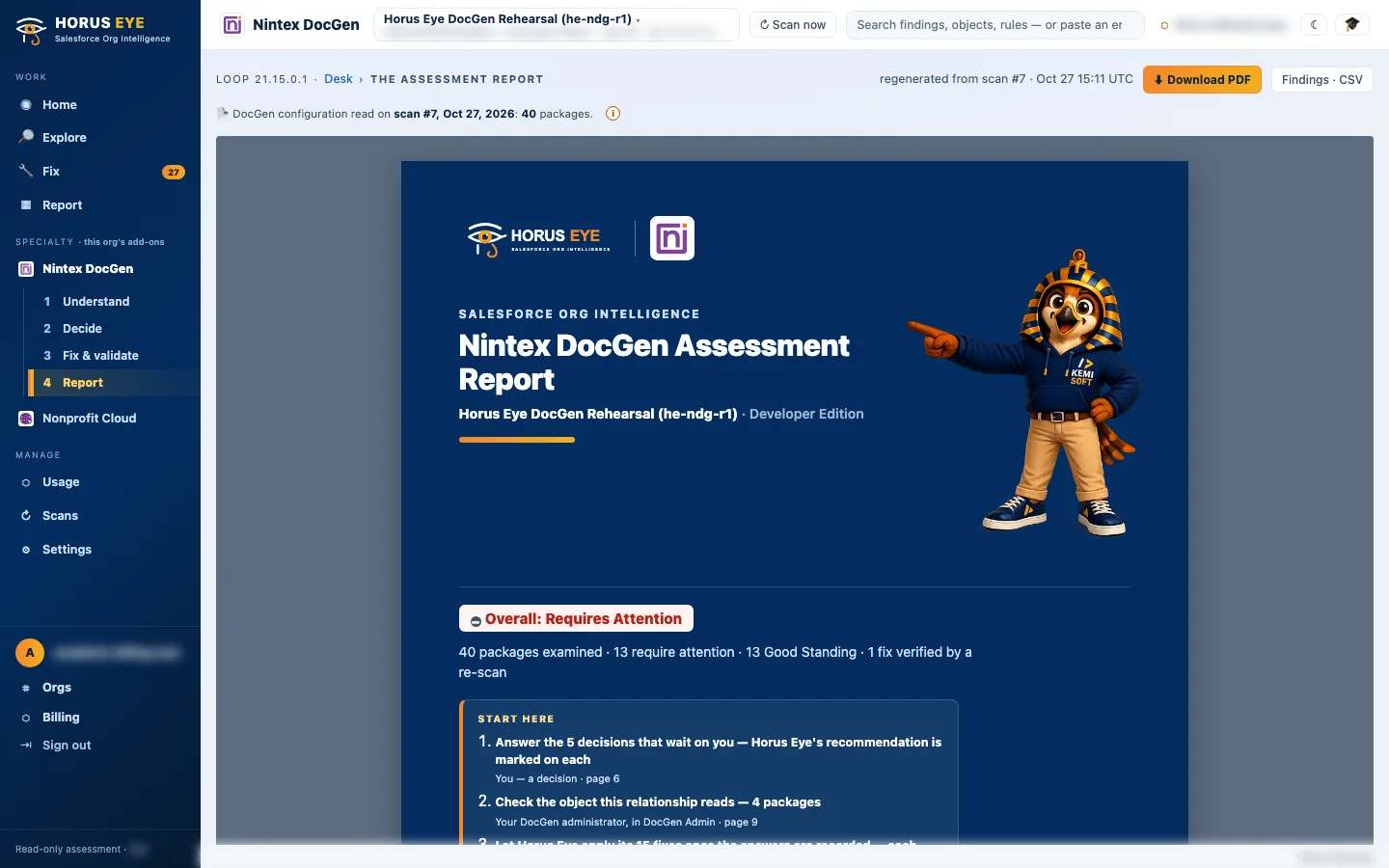
A Nintex DocGen assessment report is the one document the whole estate conversation can run on. These pages are rendered from an assessment of Kemisoft’s own test estate — seeded example data, never customer data — so you can judge the report the way you would judge the product: by how it argues.
What the assessment contains
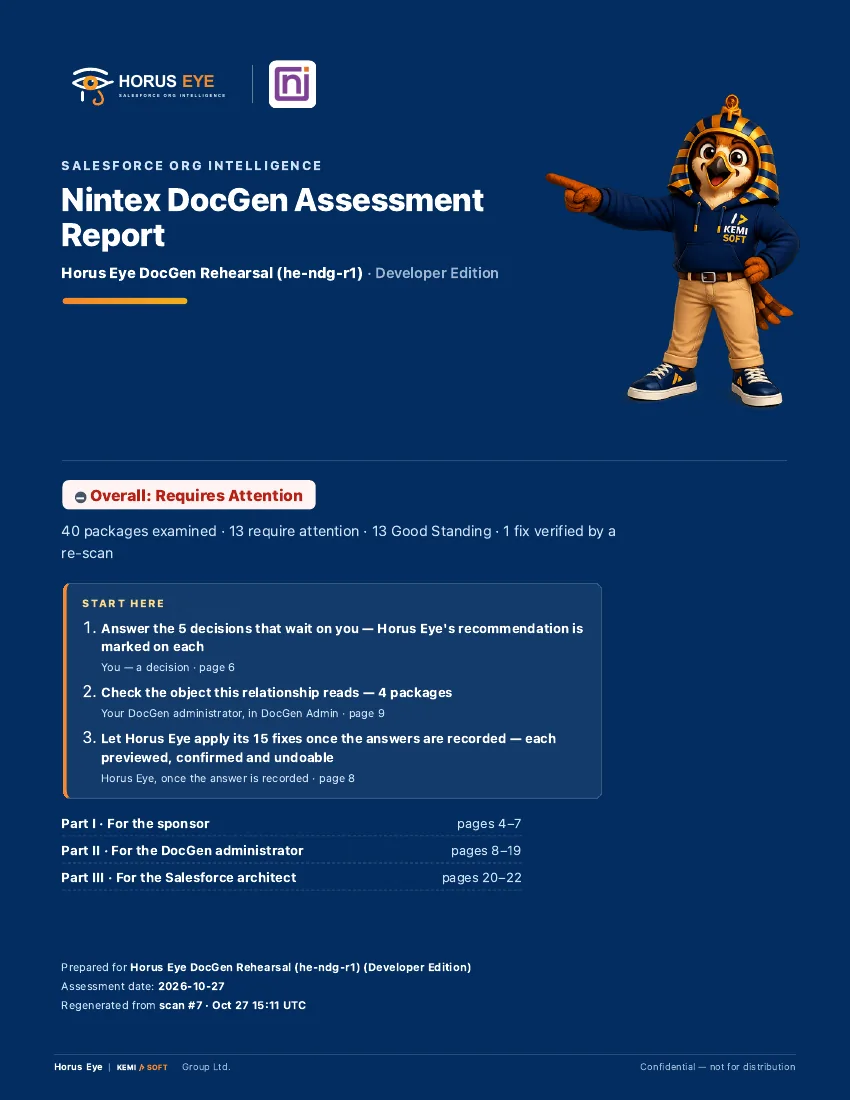
Inside the ReportThe report is built to be read top to bottom by a busy owner, then worked section by section by the admin:
How to read it
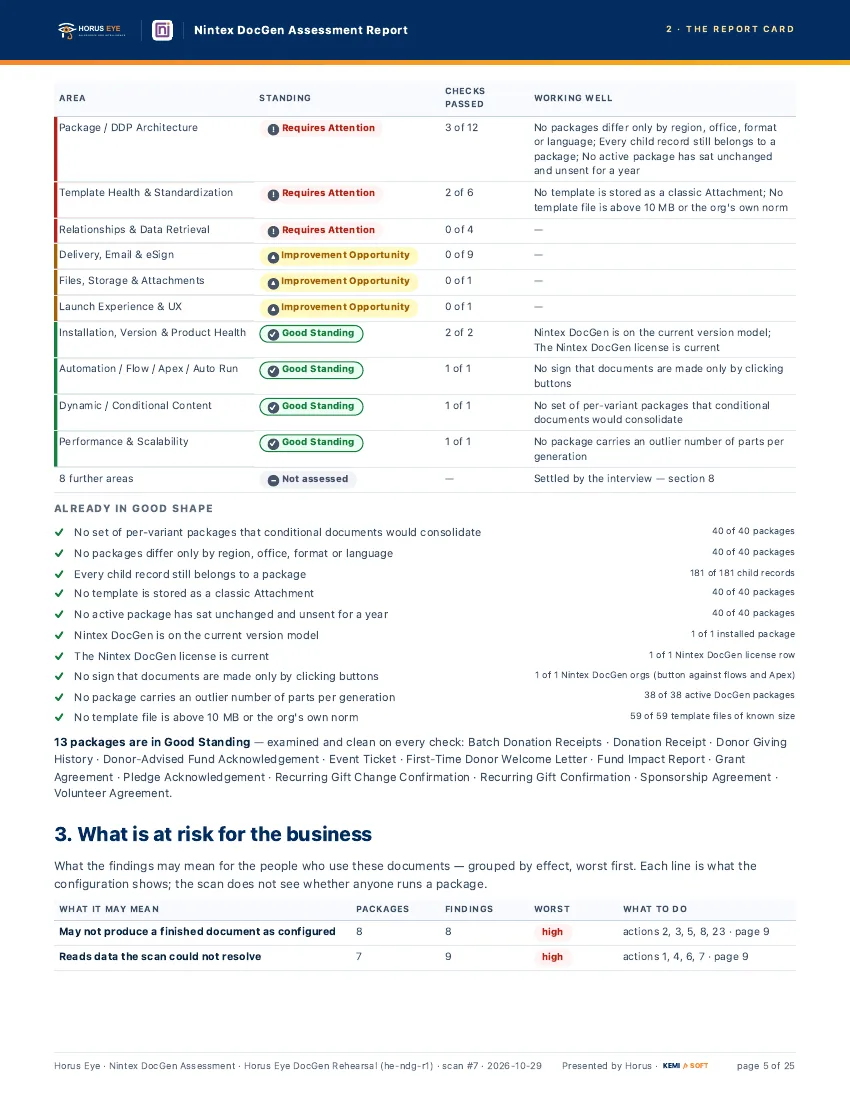
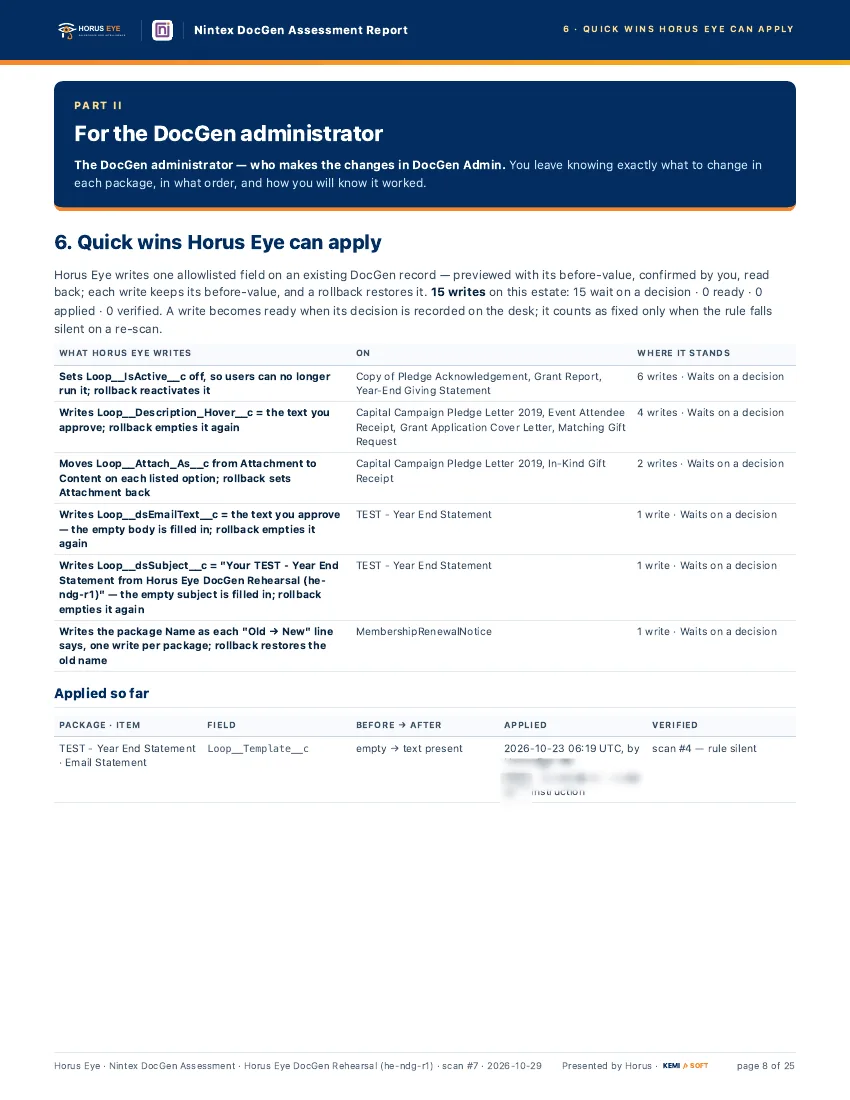
Reading GuideThree checks tell you whether a DocGen assessment — anyone’s — deserves your trust. First, grades must be earned: Good Standing should mean examined and clean on every check, and an area the scan could not reach should say so rather than default to healthy. Second, fixes must be provable: a quick win counts as verified only when the rule that raised it goes silent on the next scan — look for the before-values and the re-scan discipline on the quick-wins page. Third, the split of hands must be honest: a report that implies everything can be fixed automatically is selling, not assessing; the worklist should say plainly which items are your decisions, which are one-field writes applied after your yes, and which are the admin’s structural work.
Who the report is for
Horus EyeTwo readers, one document. The owner reads the answer, the report card and the business-risk section, and makes the handful of decisions only the organization can make. The DocGen admin works the worklist, applies the structural fixes, and re-scans until the open rules go silent. And when the admin changes — the moment most estates lose their history — the latest report plus the decision register is the handover: what was found, what was decided, what was verified, and what is still waiting for a human. The assessment itself is run by Kemisoft, a listed Nintex partner.
About the figures on this page: counts and percentages describe Horus Eye’s own test orgs, which hold seeded example data. They are examples of what an assessment reports — never typical results and never a benchmark for your org.
Sources & further reading
References- 1. Nintex · DocGen for Salesforce Documentation — The vendor’s own documentation for packages, templates, relationships and delivery. ↩︎
“Salesforce”, “Agentforce” and related marks are the property of Salesforce, Inc. Nintex and DocGen are marks of Nintex. Horus Eye is an independent product and is not affiliated with, endorsed, or sponsored by Salesforce, Inc. or Nintex.
Protected AI — the Trust Layer
Every AI read in Horus Eye is metadata-first: built from an allowlist, sanitized by pattern, made through one audited gateway and checked by an output firewall on the way back — and AI is off by default, per org. Every request carries an audit id and an AI Data Scope manifest you can open.
What would your estate’s report say?
Horus EyeOpt in, scan, and get the graded picture of your own DocGen estate — with the quick wins already waiting for a yes.
Try Horus Eye Free Request a DocGen Assessment All Horus Eye pagesFree start · 250 credits for 60 days · no card required · scans are free