Horus Eye · NPSP → Agentforce Nonprofit
The NPSP migration admin’s checklist
A working NPSP migration checklist for the Salesforce administrator or product owner who carries the move from the Nonprofit Success Pack to Agentforce Nonprofit (Salesforce Nonprofit Cloud) — from knowing what you have, through the decisions and the rehearsals, to cut-over and after. Print it, or work it on screen; either way, every ticked box should have evidence behind it.[2]
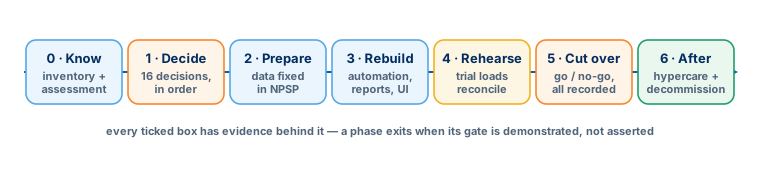
Know what you have
Phase 0 MDecide, in dependency order
Phase 1 L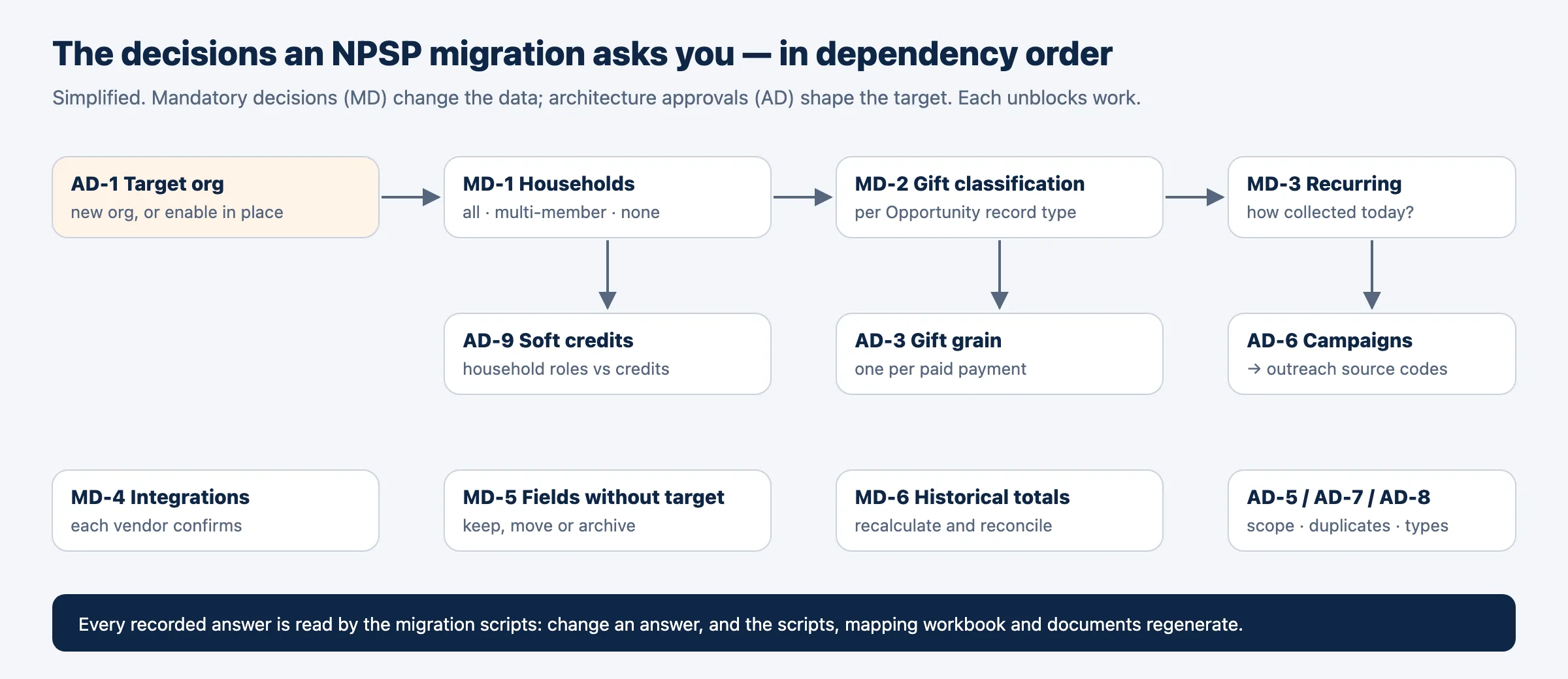
Prepare the data, before any load
Phase 2 LRebuild, in the target sandbox
Phase 3 XLRehearse and validate
Phase 4 L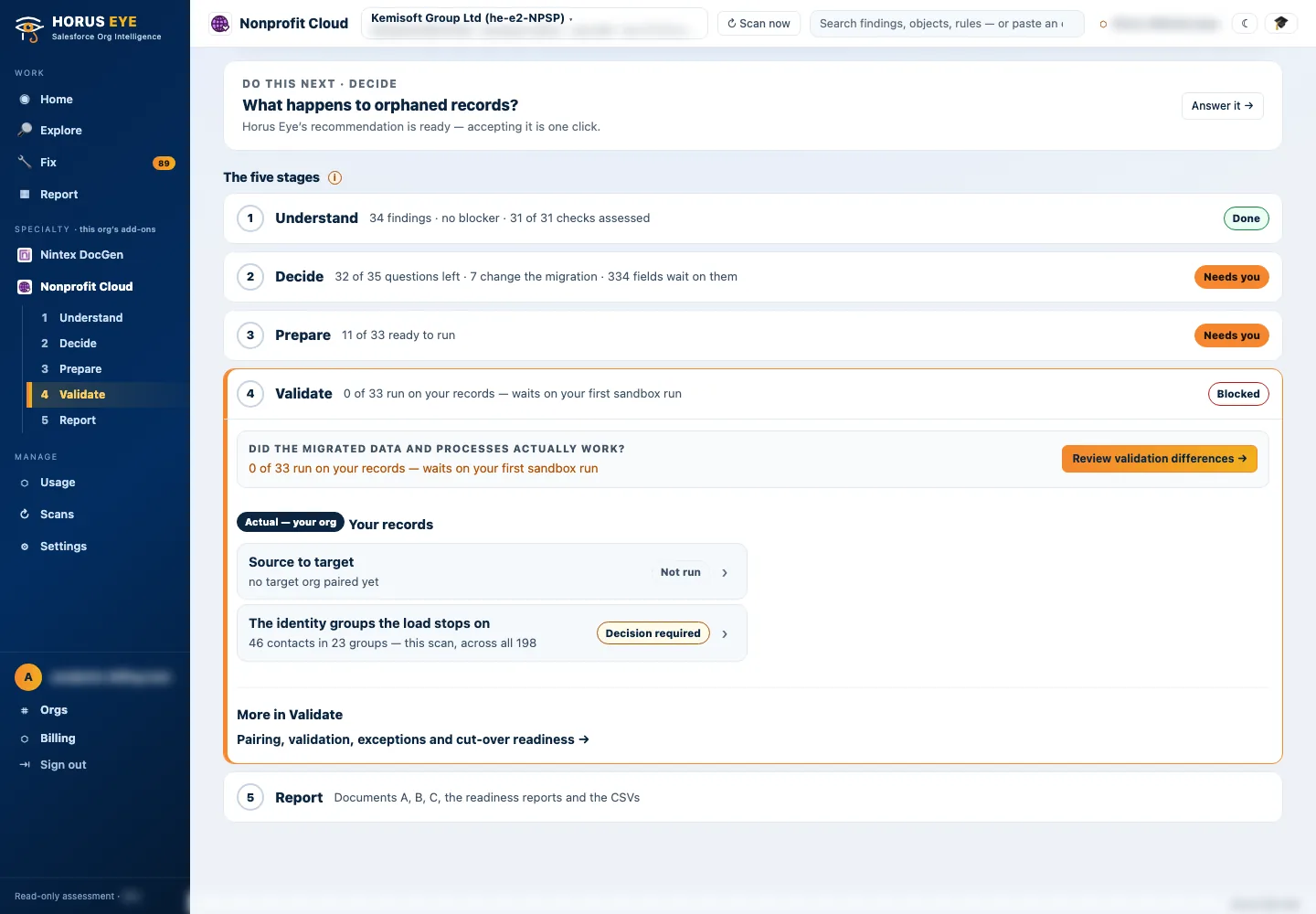
Cut over
Phase 5 M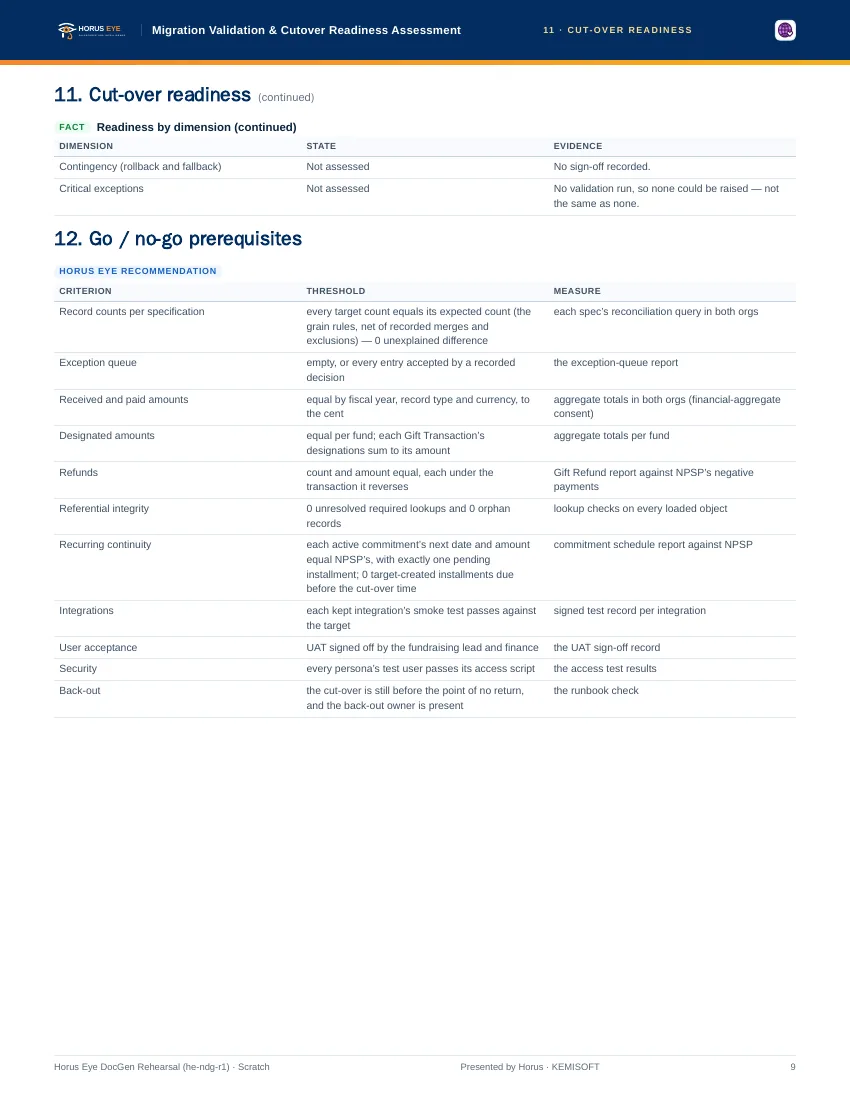
After go-live
Phase 6 SSources & further reading
References- 1.
 Salesforce · Agentforce Nonprofit Migration Guide v2.0 (PDF) — The official guide this content follows: platform differences, migration recommendations, and how NPSP features map to Agentforce Nonprofit. ↩︎
- 2. Salesforce Help · Nonprofit Cloud Migration and Implementation Guides — Salesforce’s index of the migration, implementation, Fundraising and Program Management guides. ↩︎
- 3. Salesforce Help · Enable Person Accounts for Fundraising — The enablement step — and why it is planned, not casual: Person Accounts cannot be disabled once enabled. ↩︎
“Salesforce”, “Agentforce” and related marks are the property of Salesforce, Inc. Horus Eye is an independent product and is not affiliated with, endorsed, or sponsored by Salesforce, Inc.
Take it with you as a PDF
Printable downloadWhat you’ll get
The full phase-by-phase checklist — know what you have, decide in dependency order, prepare the data, rebuild, rehearse and validate, cut over, and the after-go-live items — formatted as a printable PDF with tick boxes.
Everything in the PDF is on this page too — the download is for printing, sharing with the team, and the project binder.
Download the checklist
Protected AI — the Trust Layer
Every AI read in Horus Eye is metadata-first: built from an allowlist, sanitized by pattern, made through one audited gateway and checked by an output firewall on the way back — and AI is off by default, per org. Every request carries an audit id and an AI Data Scope manifest you can open.
Want this checklist pre-filled for your org?
Horus EyeAn assessment turns the generic checklist into your org’s own: which items are already done, which are open, and the evidence behind each.
Try Horus Eye Free Request an Assessment All Horus Eye pagesFree start · 250 credits for 60 days · no card required · scans are free